Best Mechanical Keyboards for Custom Keycaps (2026)
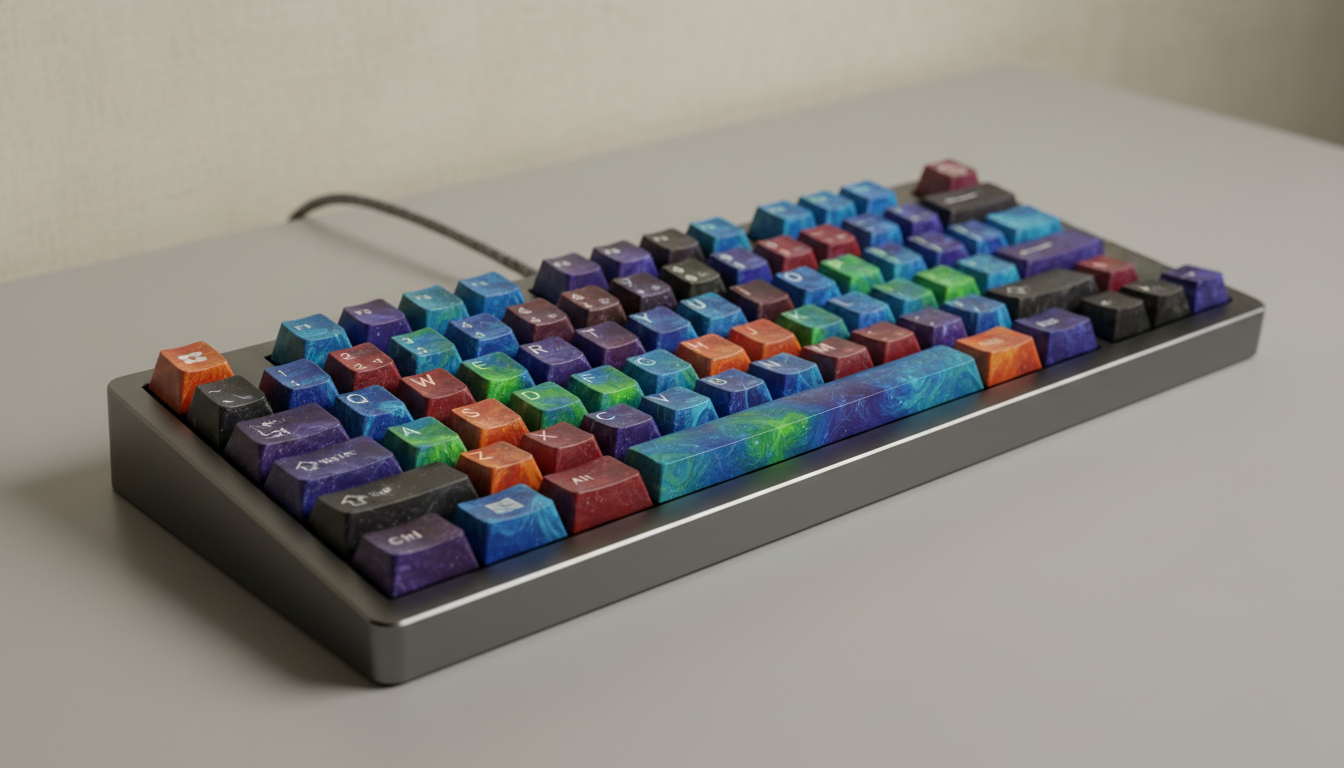
You want a keyboard that makes custom keycaps look and feel exactly as intended — not one that fights you with warped stabilizers, an obscure layout, or a case color that clashes with every colorway you own. The short answer: stick to standard layouts (TKL or 65%), north-facing PCBs with good shine-through, and boards with solid stock stabilizers or easy mod access.
Here’s what to buy at each price point.
What Makes a Keyboard Keycap-Friendly
Layout compatibility is the first filter. Full-size boards accept the most keycaps by sheer key count, but the vast majority of premium keycap sets are designed around TKL, 65%, or 75% layouts. A 1800-compact or 96% layout will leave you hunting for replacements constantly.
Standard bottom rows matter too. Non-standard layouts — where the spacebar is 6.25u but the modifiers are in unusual positions — are keycap-set killers. Always check that the board uses a 6.25u spacebar and standard modifier sizing unless you know exactly which sets support your layout.
PCB orientation affects shine-through. South-facing LEDs illuminate the legends cleanly from below. North-facing LEDs can cause interference with some thick-walled keycap profiles (especially Cherry-profile caps), producing hotspots or clipping. If RGB is important to you, verify LED orientation before buying.
Budget Pick: Keychron Q2 Pro / Q3 Pro (~$100–$130)
Keychron’s Q-series is the default recommendation for good reason. The gasket-mounted aluminum case, pre-lubed stabilizers, and south-facing RGB make it one of the most keycap-showcasing boards at this price. The Q2 Pro is a 65% with a standard layout; the Q3 Pro is a TKL. Both come in multiple case colors — the black and grey options are neutral enough to match almost any colorway.
Stabilizers out of the box are usable, though swapping to Durock V2s or TX stabs gets you to endgame territory. The plate is aluminum, which gives the board a firmer sound — pairs well with deeper keycap profiles like MT3 or SA that benefit from acoustic contrast.
The wireless variant adds Bluetooth without sacrificing the aluminum build. If you’re committed to wired, the standard Q-series is slightly cheaper and marginally more rigid.
Mid-Range Pick: GMMK Pro (~$170 barebones)
Glorious’s GMMK Pro is a 75% gasket-mounted board with a rotary knob and a well-regarded typing feel. It’s been around long enough that the community support is excellent — foam mods, stab tutorials, and compatible keycap sets are well-documented.
The south-facing RGB here is genuinely good. Translucent or double-shot PBT keycaps (like those from Drop or Keyreative) look noticeably better on this board than on cheaper options. The per-key RGB bleeds evenly under legends without oversaturation.
One caveat: the brass weight on the bottom adds mass but also raises the price. If you skip the weight variant, the price drops, but you lose some of that satisfying thock. Stabilizers need lubing out of the box — this is standard practice at this tier.
Premium Pick: Mode Eighty / Sonnet (~$250–$350)
Mode Designs builds keyboards specifically for the enthusiast market, and it shows. The Eighty is a TKL with multiple mounting options (top, gasket, or o-ring) switchable via included hardware. That flexibility means you can tune the feel to match whatever keycap profile you’re running — softer gasket mount for clacky PBT caps, firmer top mount for something more tactile and tight.
The Sonnet is their 65% option with similar build quality. Both boards use a standard layout with no surprises, and the case colors (navy, olive, and silver are standouts) are designed to complement the colorways that dominate group buys.
At this price, stabilizers come pre-lubed and ready to use without mods. These are the boards people buy when they already have a $200 keycap set and don’t want the keyboard to be the weak link.
What to Avoid
- Non-standard bottom rows: Boards like older Razer Blackwidows or Corsair K70s use 6.5u spacebars or shifted modifiers. Most keycap sets won’t fit.
- Proprietary switch mounting: Some gaming-brand boards use non-MX footprints that limit your switch and keycap options.
- High-profile cases with minimal bezel: These can partially hide shorter keycap profiles like XDA or DSA, reducing the visual impact of the legends.
- Cheap plate-mounted stabilizers: Rattly stabs undermine even the best keycap set. If you’re going to spend on caps, budget for a stab lube kit too.
Layout Decision Guide
- Want maximum keycap set compatibility? → TKL. Almost every set supports it.
- Prefer compact with arrows? → 65%. Most premium sets include 65% kits.
- Use function row heavily? → 75% is the sweet spot. Keycap coverage is nearly as good as TKL.
- Avoid unless you know what you’re doing → 40%, split, or ortholinear. Keycap support is limited to a small subset of sets.
Bottom line: The Keychron Q2 Pro or Q3 Pro is the right call for most people — standard layout, good stabilizers, reasonable price. If you’re buying an expensive artisan or designer keycap set, step up to the Mode Eighty so the case and build quality match what’s on top of it.